
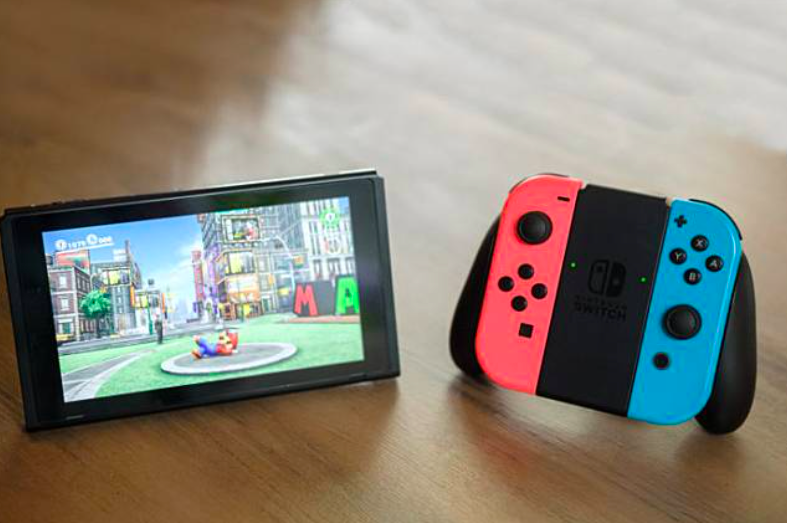
In this detailed guide, I’m going to discuss on How to Connect Nintendo Switch to Laptop.
The Nintendo Switch also known as NS is a video game console that proved to be a game-changer for the Nintendo. Since its introduction in the market, it has created quite a hype among gamers.
The Nintendo Switch is a portable handheld device that can also be docked for use as a home console. No wonder it gained numerous appreciations in recent years.
The Switch has an awesome screen for mobile devices with customizable wireless joysticks. It has got many exclusive AAA games and is highly portable to carry around wherever you go.
Nintendo proved its excellence with the introduction of Nintendo Dock. The Dock can be used to connect your Switch to your laptop or TV to enjoy gaming on a large screen. It comes packed with the console and you can use multiple Docks too.
How To Establish a Connection Using Dock?
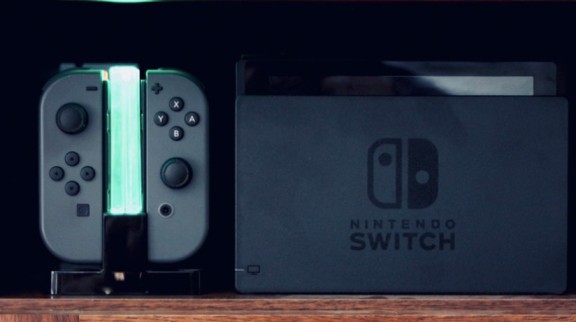
Now the question arises how to connect the Nintendo Switch to a laptop? We cannot connect the Switch directly to a laptop so we have to use the Dock. Unfortunately, the Dock and Laptop both have an HDMI output port. That means both the devices can feed their screen to a device having an HDMI Input. Thus a laptop cannot take an HDMI Input.
The Solution
Here we introduce you to a special device known as a Game Capture card. This card is capable of taking an HDMI input and can transform it into USB output.
The Game Capture Card acts as a connector between a laptop and other devices as it has an HDMI input port, an HDMI output port, and USB Port. These ports help users transfer connectivity to Laptop’s OS. This card was initially made for streaming console gameplay Via PC.
The best-selling capture card in the market now is Elgato HD60 S. it offers fabulous 1080P output at 60 FPS. Enjoy a smooth lag-free experience with the USB 3.0 Type-C connectivity to connect it to your laptop.
The requirement for HDMI cables is fulfilled by both the primary gadgets. There is one HDMI cable each in the box with the Switch and Capture card.
Software To Be Used
To play on your PC while having the Switch docked, you’ll need software. You can download the software from the manufacture’s website, without which you won’t be able to use the capture card.
Procedure to connect Nintendo Switch to Laptop.
- First of all, you need to connect the Nintendo Switch to the Nintendo Dock. For doing this just plug in the cable of the Dock to the Type-C connector of the Switch.
- Unplug any other HDMI cables if you have connected to a TV or monitor.
- Plug an HDMI cable from the HDMI input of the card to the Nintendo Dock.
- Next, you’ll need to open the capture Software on the Laptop.
- Turn on the Nintendo Switch as it is docked now.
- Connect a USB cable from the Game Capture Card to the Laptop. With this step, you’ll be able to see the Nintendo Switch’s Home screen displayed on your Laptop.
- Finally, use the Joy-Con game controllers on the Nintendo Switch to control the Switch on the Laptop.
Thus you can enjoy your gaming time on a big screen or if you wish you can also stream online. You can record your gameplay, chat, or even live commentary. Along with this, you can use the feature of the Laptop too. It’s like multitasking at its best.
Other Alternatives
The method stated above is the only stable method to connect the Nintendo Switch to the laptop. But this is quite costly as the cost of the Capture Card is substantial and everyone cannot afford it.
There are many games in the Windows store that you can enjoy other than the games from Switch.
Another option is Emulators that help you play the Switch’ game on the Laptop. This method is rarely followed as there are extreme lags and bugs to destroy your game.
Though the Capture card delivers a smooth experience, there might still be some lags. Just remind yourself that the data is transferred from the Switch to the Nintendo dock. Then to the Capture device via HDMI and then again converted to USB for transferring the data to the laptop. With such an extensive connection, there occur some lags.
Conclusion:
The steps advised in this guide on How to Connect Nintendo Switch to Laptop are very easy to follow. Just with a few steps and a bit of investment on a Game Capture Card, you’ll be able to enjoy your Switch games a lot on a big screen.
Also Read: Best Monitor For Nintendo Switch