
When you visit a website or use any application, you come across a platform where you can do your task easily. That ease of access is brought to you by programmers who do a lot of hard work behind the scene.
Professional programmers know the necessity of having the best monitor for programming. Any sub-par monitor will put you in great distress in the long run. You may end up with headaches, eye irritation, or even frustration on some occasions. Handling complex projects is not at all easy on such monitors. Thus programmers need to use some special monitor specially designed for their work. Alongside these wrong monitors can make the programs hard to see or even can’t display your code properly.
A monitor for a programmer should be comfortable. It should have the right size and minimize eye strain. A flicker-free technology with the versatility of other features together makes a monitor perfect for usage.
Finding such monitors is not an easy task as there are thousands of monitors in the market and each one of them claiming to be the best among all. So we came up with the top 10 best monitors for web development to save your precious time instead of searching for days.
How Many Monitors Are Required For Web Developers?
This is the question that always arises before Web developers who are at the beginning stage of their profession. A second monitor is always helpful when reading documentation and testing codes. Meanwhile, a widescreen arrangement gives a seamless working experience as there are no bezels between windows. It is useful for graphic designers and video game programmers.
Let’s explore the best monitor for web development.
Our Top Picks Best Monitor For Web Development:
We have enlisted the best monitor for web development for you that will give you the ultimate experience. Our team of experts has done extensive research and have come up with a list of these monitors with endless features.
1. Dell U3818DW – Best Monitor For Web Development
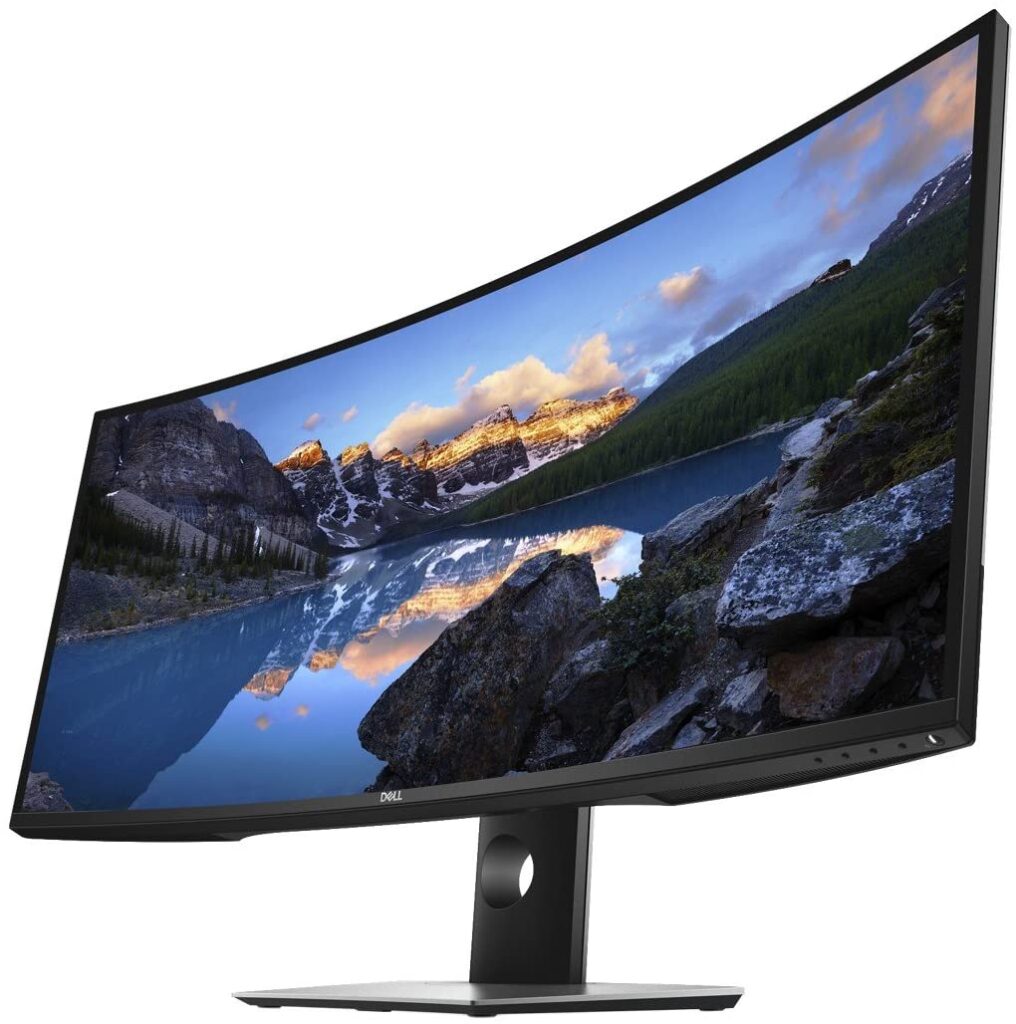
The first monitor in the list of the best monitor for web development is from a well renowned leading brand, the Dell U3818DW. It has a 38-inches WQHD+ curved screen with an infinity edge. Users get an immersive experience and can enjoy incredible visuals on the monitor.
The Ultra-wide curved monitor has an aspect ratio of 21:9 plus the InfinityEdge virtually makes the screen borderless. With a resolution of 3840×1600, the IPS technology provides outstanding detail and consistent colour. Though slightly curved you can still view the screen from wide angles without any degradation.
Working for long hours on the monitor is very reliable as it provides Flicker-free Backlight that reduces eye strain. The Picture-by-Picture mode allows multitaskers to display contents from two different sources simultaneously. Although the mediocre contrast ratio shouldn’t be any issues in bright rooms in the anti-glare screen dark rooms aren’t suited for this monitor.
The monitor also serves multimedia purposes with the presence of integrated 9W speakers that produce quality sound, a wonderful feature for Video editing projects. There is an abundance of ports including USB Type-C, USB quick charge, DP connector, and more. You can connect up to 6 compatible RF devices.
- Get an immersive experience and enjoy incredible visuals on this 38 inches WQHD+ curved screen with infinity edge
- Complete your work projects and enjoy home entertainment with vivid visuals, accurate color and sharp details. Connect up to six compatible RF devices or Bluetooth 4.0
- Compatibility - All operating system. With features like Dell easy arrange, you can arrange your projects to best suit your screen space
- You can display and edit content from two different PCs with a single KVM feature (keyboard, video and mouse). Power consumption (operational) - 56W (typical) / 250W (maximum). Power consumption stand by / sleep - Less than 0.3W
- A single cable solution with a USB type C connectivity transmits power, audio and video signals between a laptop and monitor. Change the video resolution to the correct aspect ratio
2. HP VH240a
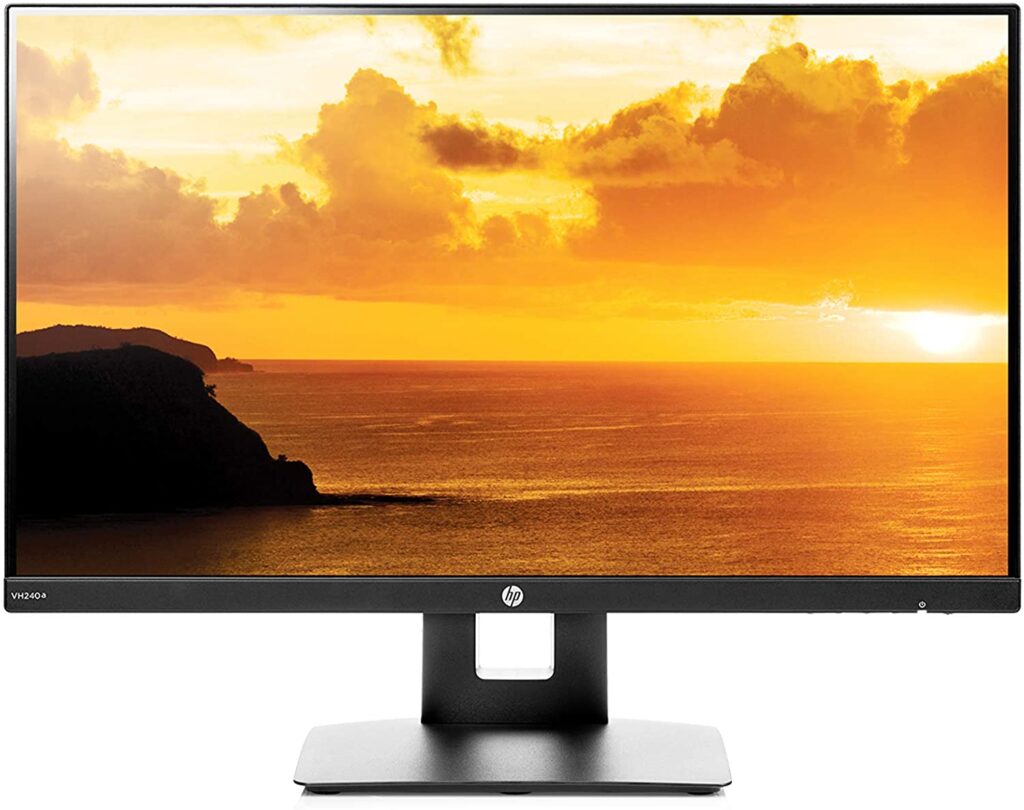
Next on the list is the HP VH240a, the best budget monitor among those listed here. Though budget-friendly it has all the cool features to become one of the best monitors for programmers. It has a 24-inch full HD IPS display with a resolution of 1920×1080. Its small screen size is a great option to consider for programmers with limited desk space.
The monitor has an anti-glare IPS LED-backlit panel with an aspect ratio of 16:9. With 16.7M colours and 2M pixels, the monitor reproduces awesome pictures up to 178° wide viewing angles. Alongside this ultra-widescreen has a virtually borderless display for a seamless multi-monitor setup.
Further, the monitor also provides 4-way ergonomic viewing and is VESA enabled. You can get both landscape and portrait modes with height and tilt adjustments or you can simply hang the monitor on the wall.
HP VH240a has a response time of 5ms for a smooth crisp pictures without motion blurs. The 60Hz refresh rate eliminates picture tears and lags. The built-in integrated speakers provide great sound for your content. Its connectivity includes USB-C, VGA, and HDMI ports with HDCP support for laptops and multi-monitors.
- Resolution & Panel — 23.8-inch full HD monitor (1920 x 1080p @ 60 Hz) with 16:9 aspect ratio and an anti-glare matte IPS LED-backlit panel (2 million pixels, 16.7 million colors)
- Response Time — 5ms with overdrive for a smooth picture that looks crisp and fluid without motion blur
- Built-In Speakers — Integrated audio speakers provide great sound for your content (2 watts per channel)
- Thin Bezel-Less Frame — A thin and virtually frameless ultra-widescreen monitor provides a seamless multi-monitor set-up with 3-sided narrow bezels
- 4-Way Ergonomic Viewing — 90° rotation for horizontal (landscape) and vertical (portrait) viewing modes, adjustable height and tilt (-5° to 30°), and 178° positional viewing for the best quality at any angle
- Vesa Mounting — Mount the display on walls or brackets with a 100 meter VESA mounting pattern (mounting bracket not included)
- Connectivity — VGA and HDMI with HDCP support for laptop or multi-monitor setups. Includes: AC power cord and CD
- Compatibility — Plug and play for all OS such as Windows & Mac OS for laptop connectivity (Note: USB-C/Thunderbolt 3-to-HDMI adapters required for 2016 MacBook Pros or later)
- Responsibly made — Save your wallet with an Energy Star certified monitor that meets strict energy-efficiency guidelines and helps reduce your carbon footprint
- Warranty — 1-year limited warranty with 24-hour, 7 days a week web support when shipped from and sold by Amazon (user manuals and drivers included)
3. LG 34WK650-W – Best Monitors For Web Design
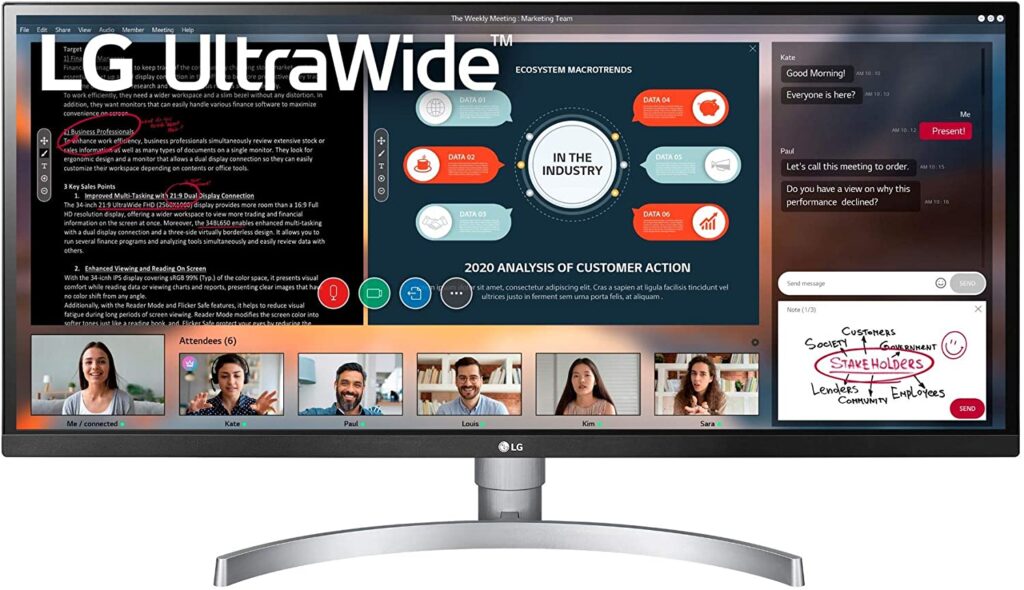
The LG 34WK650-W serves the purpose of many programmers who wish to open multiple screens at a time. The monitor has a 34-inch Ultra-wide Full HD IPS display with a resolution of 2560×1080 and a 21:9 aspect ratio that offers 33% more than a 16:9 monitor.
The ultra-wide screen along with split-screen and PiP modes makes the monitor suitable for enjoying webinars, working with reports at a glance, and browsers side by side. This LG product is also HDR10 compatible that provides awesome colour levels and brightness than ordinary monitors. sRGB over 99% seems to be the perfect requirement for graphic designers looking for accurate colours. The slim bezel on the 3 sides also allows a multi-monitor setup if required.
Additional features of the monitor include two 5W speakers for enjoying multimedia and AMD FreeSync technology that gives gamers a wonderful experience by eliminating screen tearing and stuttering. The Black stabilizer lightens up dark areas on the screen and the Dynamic Action Sync reduces input lags for your devices.
The Flicker safe and reader mode allows programmers to read codes comfortably in any environment by reducing flickers to prevent eye damage and maintain the proper colour temperature while reading. The 178° wide viewing angles and tilt plus height adjustments are some features of the monitor which goes worth mentioning.
There’s no doubt that this monitor earned its spot in our list of best monitors for web design list.
- 34 inch ultrawide 21:9 full HD IPS monitor with HDR 10 and amd freesync (2018)
- HDR10 compatible; Tilt (Angle): 5 to15 Degree
- AMD free sync technology
- SRGB 99 percent color gamut
- On screen control with screen split
4. Dell Ultrasharp U2718Q
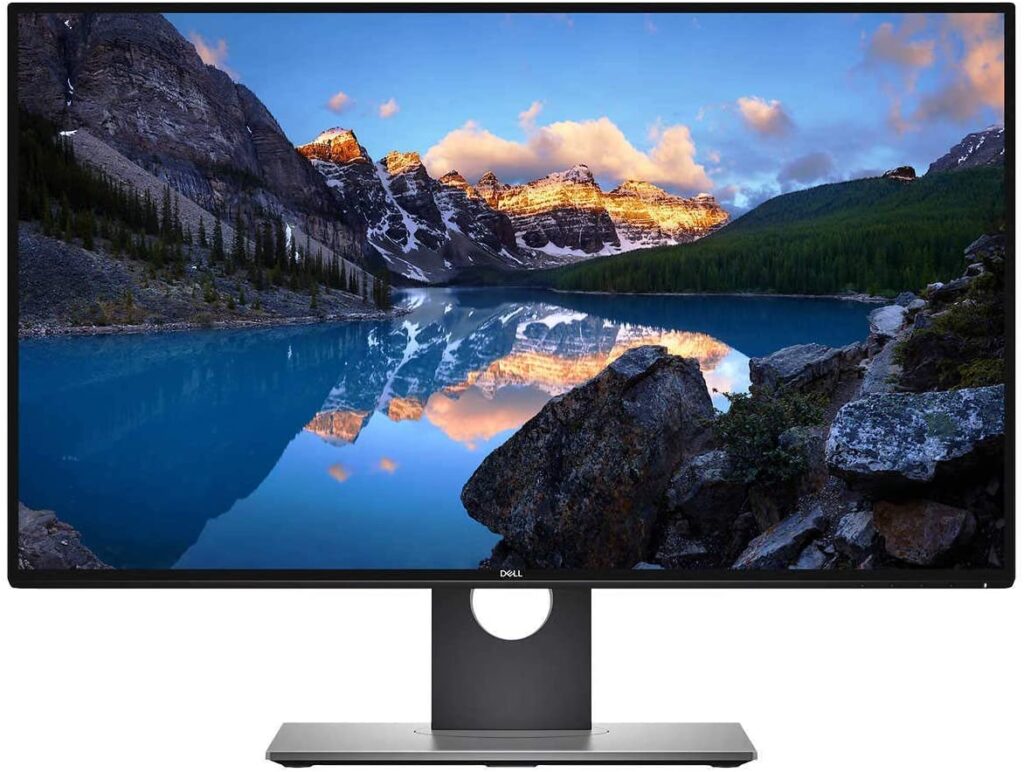
Another great product is the Dell, it’s the Dell Ultrasharp U2718Q having a 27-inch screen 4K display with a resolution of 3840×2160. The monitor provides you with exceptional details and ultimate efficiency for all your web development tasks. A decent refresh rate of 60Hz and 5ms response time is enough for any coding tasks out there.
It has incredibly thin bezels which are ideal for multi-monitor setup for a virtually seamless view between monitors. With over1B colour support, the Dell HDR includes a greater depth of colours and remarkable clarity to create strikingly realistic images. If you are interested in work like graphics designing or media, then you will find this monitor serving all your the purpose at your fingertips.
The monitor is VESA enabled, so you can easily mount it on the wall to save desk space or use any ergonomic stand for the monitor. Further, the monitor is capable of both portrait and landscape modes whichever the user likes for reading codes. The only downside users might find is the not so proper brightness level, which is not any major issue if you are using it for programming.
Dell focuses on the connectivity of the monitor more than any other brand. You can connect up to 6 compatible RF devices alongside the Bluetooth pairing option.
- 27 antiglare LED monitor Efficient screen type uses LEDs to provide precise backlighting to pixels.
- 4K Ultra HD 3840 x 2160 resolution Outstanding detail thats ideal for watching high-resolution videos and playing games with settings maxed out.
- 5 ms response time Delivers solid performance for precise gaming and video work. 60 Hz refresh rate Provides smooth video and good refresh rates for everyday use.
- HDMI, DisplayPort and Mini DisplayPort inputs Allow you to set up DVD players and other AV sources for a clear, high quality audio and video signal.2 USB 3.0 ports Allow you to connect devices to the monitor, which then transfers the data to the computer.
- 178° horizontal and vertical viewing angles Allow you to view the screen from a wide range of angles.1,300:1 contrast ratio Ensures images are crisp and clear with deep blacks and bright highlights.350 cd/m² brightness Produces bright images that can clearly be seen even in well-lit rooms.
5. ASUS PB287Q – Best 4K Monitor for Web Design
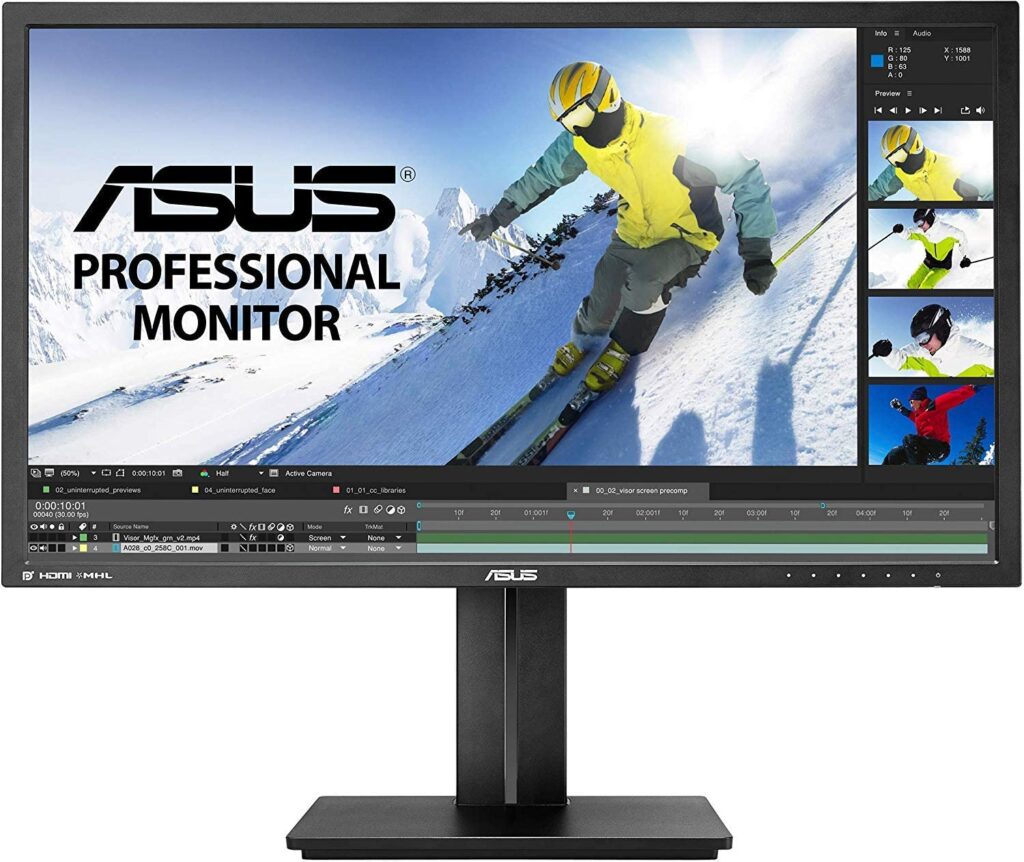
The ASUS PB287Q is one of the best 4k monitor for web design which can also effectively serve your web development purpose. As you know gaming monitors are equipped with high-end features so programmers prefer such monitors for their profession. The monitor comes with a 28-inch true 4K display with a UHD resolution of 3840×2160.
You can get an amazing 4k experience alongside a 60Hz refresh rate and a 1ms GTG response time. Superb visuals on the WLED display with 16:9 aspect ratio, 157 PPI pixel density, and real 10-bit colour. The monitor delivers more onscreen real estate and stunning image clarity. The PiP and PbP modes are provided with the help of which you can simultaneously display two or more windows from different sources. This is brought to you by ASUS exclusive QuickFit virtual scale and Splendid Video intelligence technology.
You can adjust for your maximum comfort with the facilities of tilt, swivel, pivot, and height adjustments from the ergonomic stand which also acts as a smart cable management system. The ASUS flicker-free technology and Eye-Care technology reduces the flicker for comfortable viewing of the monitor for a prolonged period without eye strain.
The monitor also has various ports including the DisplayPort, HDMI, and Dual-Link DVI. You can stream WQHD content with the support of these ports.
- See every detail in 28-inch true 4K display with 3840 x 2160 UHD resolution, 157 pixels per inch, and real 10-bit color. Compliance and Standards- Energy Star, BSMI, CB, CCC, CE, CEL level 1, C-Tick, CU, ErP, FCC, ISO-9241-307, RoHS, TCO6.0, UL/cUL, VCCI, WEEE, WHQL (Windows 8, Windows 7)
- ASUS Eye care technology with Flicker free for less Eye fatigue; Ergonomically-designed stand with Tilt,Swivel,Pivot,Height adjustment plus wall-mount capability for comfortable viewing position. ASUS Smart Contrast Ratio (ASCR) : 100000000:1. Viewing Angle (CR≧10) : 170°(H)/160°(V)
- Swivel : +60°~-60°, pivot : 0°~+90° . Get the fastest 4K experience possible with 1ms GTG response time at Refresh Rate of 60Hz(DisplayPort),30Hz(HDMI);Security : Kensington lock.Digital Signal Frequency : 24~99 KHz(H) / 30~75 Hz(V)
- Connect to everything you own with HDMI, HDMI/MHL, and DisplayPort; Power ON (Typical): < 30.45W, Power Saving Mode : < 0.5W, Power Off Mode : < 0.5W, Voltage : 100–240V, 50 / 60 Hz
- Featuring ASUS-exclusive SplendidPlus, VividPixel, GamePlus, QuickFit technologies. ASUS Rapid Replacement: 3 Years Warranty. Adjust the contrast and brightness settings via OSD
6. ViewSonic VG2765
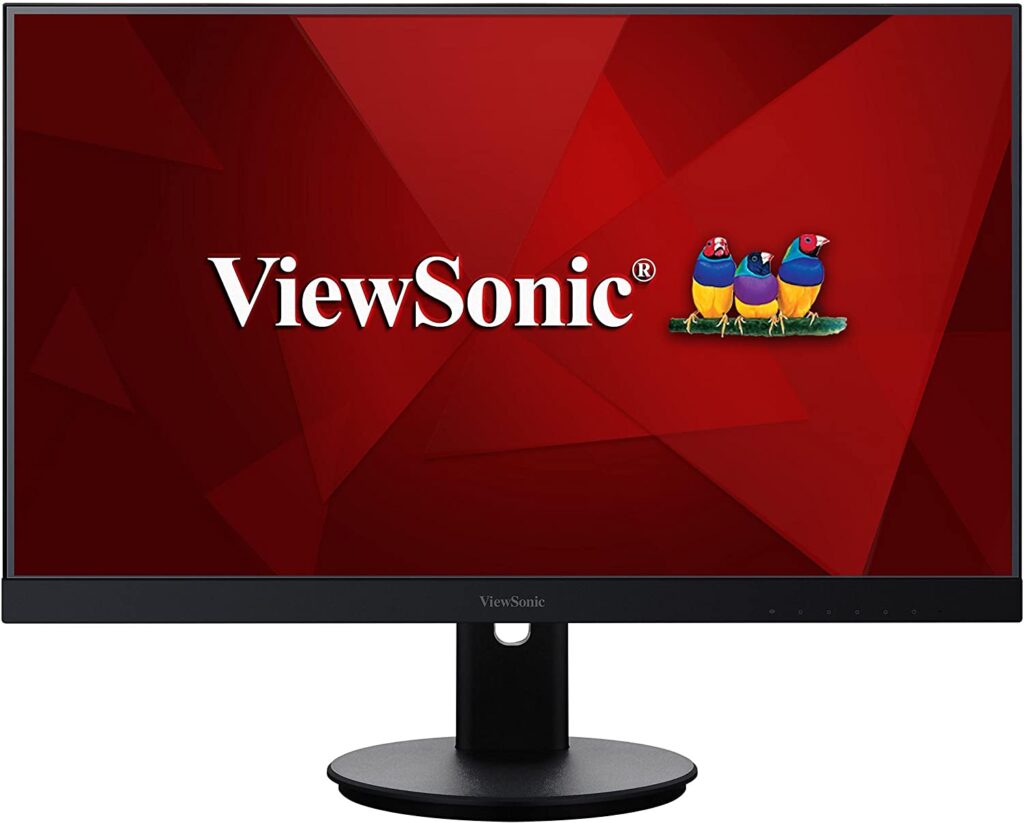
The next product is from ViewSonic, it’s the VG2765 having a 27-inch WQHD screen that delivers superb definition and awesome pictures. Robust ergonomics and future-proof connectivity for ultimate work describe this monitor.
With the premium panel, the monitor has a 2560×1440 quad HD resolution and wide viewing angles of 178°. Vivid and accurate colours on the 16:9 aspect ratio screen with consistent brightness level and contrast ratio makes this monitor equally beneficial for Photoshop and editing.
The 3-sided narrow bezel seamless allows a multi-monitor setup required by programmers to work with necessary data or open browsers simultaneously. The ergonomic stand provides support for tilt, pivot, swivel, and height adjustments for the maximum level of comfortable viewing. The stand also features a built-in client mount with the help of which you can VDI deploy the monitor without interfering with any functionality.
The Flicker-Free technology and Blue Light Filter works together to eliminate eye strain from extended viewing periods. With lots of ports like DP, mini DP, and high-speed USB ports you get the freedom of connecting a variety of devices.
- QUALITY SCREEN TIME: From big data to beautiful presentations, this monitor deliver WQHD (2560x1440p) viewing for any task
- PRODUCTIVITY & COMFORT: Advanced ergonomics help to boost productivity with all-day comfort
- AMAZING AT ANY ANGLE: This IPS panel ensures stunning views no matter your vantage point
- FLEXIBLE CONNECTIVITY: The VG2765 supports laptops, PCs, Macs, and POS systems with HDMI, DisplayPort, and USB inputs
- INDUSTRY-LEADING : 3-year coverage with access to our US-based customer service team
7. Samsung LC49HG90DMUXEN – Best Monitors For Web Design
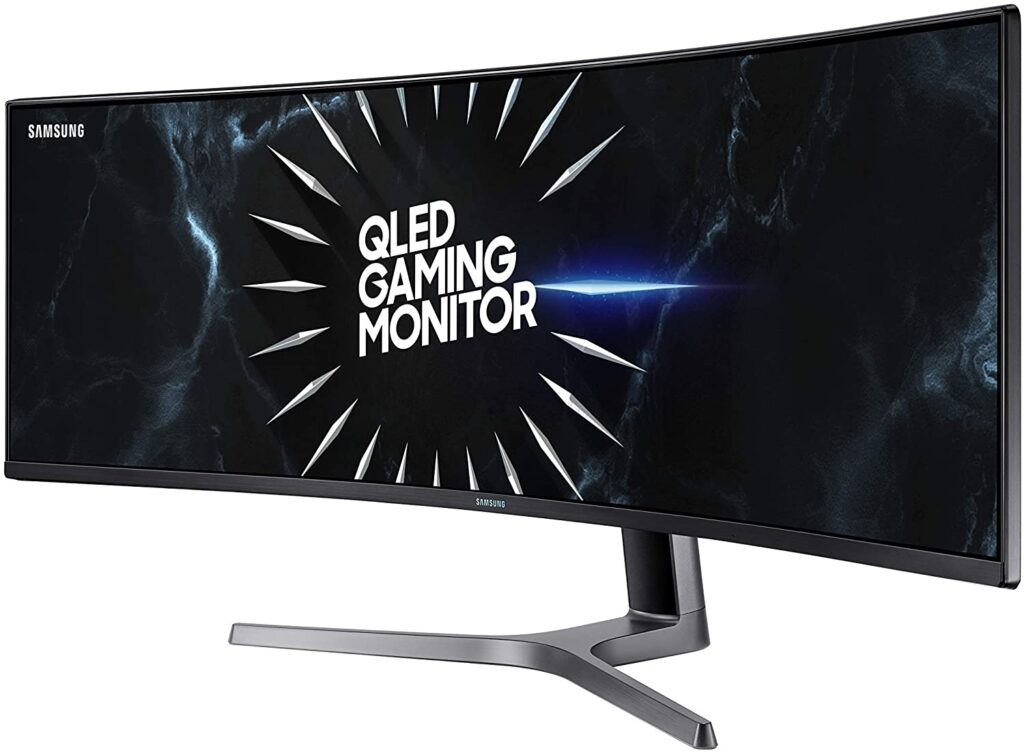
Samsung CHG90 is another Samsung product in our list of best monitors for web design. If you have enough space on your desk space and are willing to dig deep into your pockets then this model will be a great option to consider. The monitor has a stunning 49-inch curved display that is equivalent to having two 27-inch monitors.
Its hefty price is consolidated by its great features. The 1800R curvature provides an immersive experience to the viewers having 178° horizontal and vertical viewing angles. The screen has a resolution of 3840×1080 with a 144Hz refresh rate and a 1ms fast response time.
Accurate colours and proper brightness on the 4K display having an aspect ratio of 32:9 is enough for any professional programmer to do their job with complete satisfaction. Further, its huge screen real estate lets you open multiple documents and browsers at a time thanks to its split-screen feature that also resists further investment on a second monitor.
The flicker-free and Eye saver technology provide comfortable viewing for prolonged hours without any strain. The monitor also has a couple of ports like the USB and the HDMI ports. All we wish is that had the monitor got higher pixel density otherwise it is a perfect model useful in many fields.
- 49 inch super ultrawide dual QHD curved gaming monitor is the equivalent of dual 27-inch QHD displays side by side, providing the enhanced productivity.
- 120 hertz refresh rate with AMD FreeSync 2 technology for crisp HDR content display, reduced input latency and low framerate compensation
- CES 2019 best of innovation Award Winner
- HDR 1000 supports a peak brightness rating of 1,000 nits. With Samsung QLED technology delivering colors more-brighter and truer to life.
- Super ultra-wide 49 inch monitor provides the enhanced productivity thru split screen functions like Picture-by-Picture (PBP), letting you connect to two devices while maintaining their original quality
- Play for longer with less eye strain thru Flicker free and eye saver mode reducing fatigue-inducing blue light emissions.
- Connect multiple devices like Laptop, PC, Desktop Computer, Mac and Macbook Pro; Compatible with Xbox and PS4
- Optimized for virtually any game genre including FPS, RTS, RPG and more
8. BenQ PD3200U
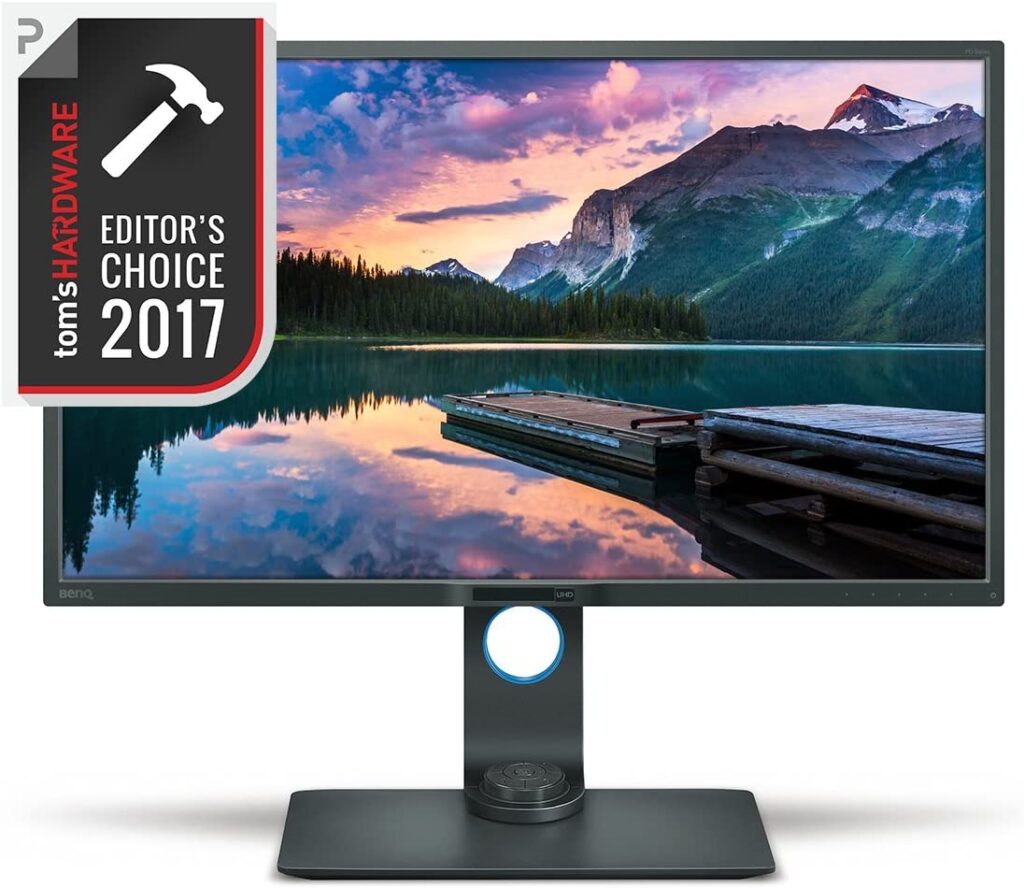
Another monitor with a 4K display is designed to provide an extremum experience to users. It’s the BenQ PD3200U having a 32-inch screen with a resolution of 3840×2160. The monitor offers extraordinary clarity of fine details. it delivers accurate reproduction of animations, visual effects, and graphics.
The monitor has a 60Hz refresh rate and 4ms response time which eliminates most of the lags and screen tear for a smooth fluid view. The anti-flicker blue light filtering technology helps reduce the harmful blue light from the monitor for prolonged viewing without any strain on the eyes.
The wide-viewing angles on the IPS monitor with 100% colour gamut accuracy helps to view pictures from far off angles. The monitor has DualView to view files side-by-side that are required for professional work like web development, CAD/CAM Darkroom, or animation displays.
Users can seamlessly set up multi-monitor by daisy-chaining several screens together. Further, the ports like DisplayPort, HDMI, and USB help you to connect several other external peripherals.
- Exclusive AQColor technology covers a wide variety of color spaces such as Adobe RGB, sRGB and Rec. 709 ensuring the colors on your screen are the brightest, boldest and most accurate
- View files side-by-side with DualView. Easily compare photos and videos in specialized CAD/CAM, Darkroom or Animation display modes next to each other on one screen. Pantone Validated
- Ergonomic features allows you to customize your viewing experience with a tilt, twist or turn. Adjust the screen height or rotate to portrait mode for added comfort and workflow efficiency
- Keyboard Video Mouse (KVM) Switch allows users to display files, photos or videos from two different computers on a single screen. Easily work on multiple projects at once without worrying about transferring files computer to computer
- Eye care technology prevents eye strain, fatigue and irritation with Low Blue Light technology, Brightness Intelligence and ZeroFlicker filters out harmful blue light, automatically adjust screen brightness based on your surroundings and eliminates annoying flickering.Brightness:350 cd/㎡
- All units purchased from Amazon comes with new firmware update, fixing previous flickering issues
9. Samsung C32F391FWN – Best External Monitor For Web Development
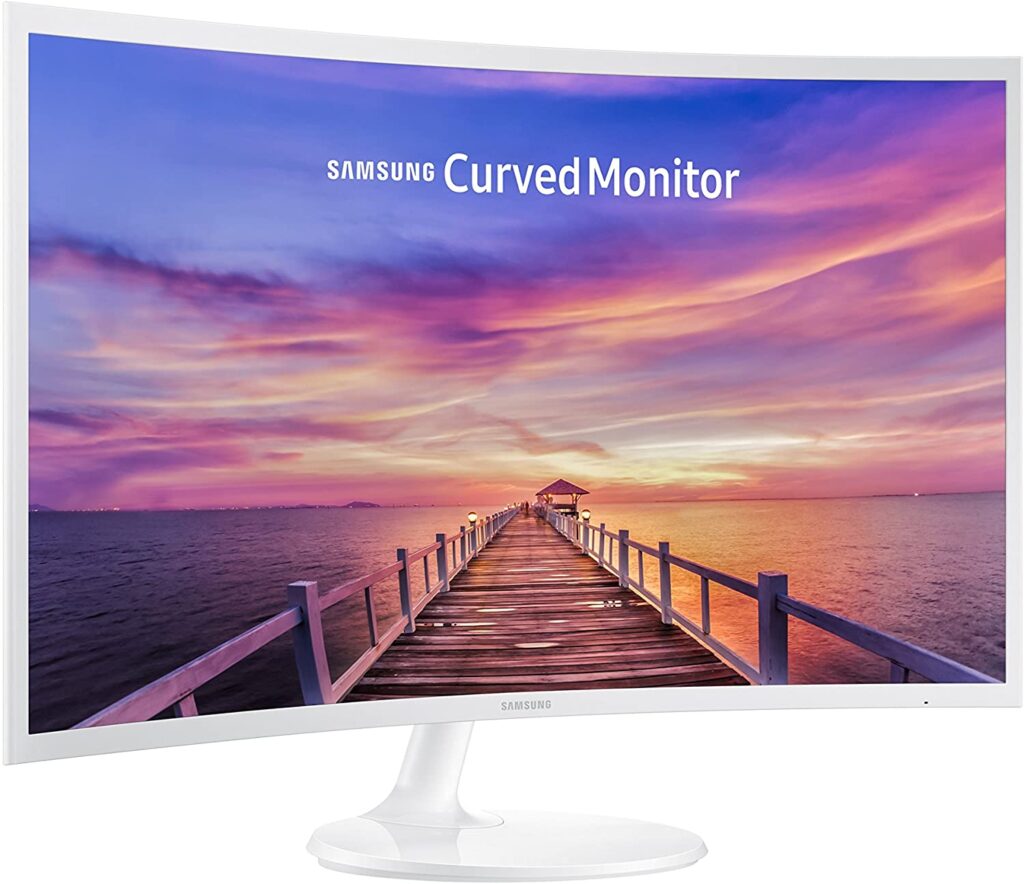
The next Samsung monitor on the list is the C32F391. It is a curved model having a 32-inch screen with a curvature of 1880R providing an immersive experience on the big and bold panoramic display. It has a resolution of 1920×1080 and an aspect ratio of 16:9.
The monitor is built ultra-slim and sleek that measures less than 0.5inch and along with the simple stand, it provides an overall elegant look to the monitor. Vivid and vibrant colours with Samsung Active Crystal colour technology having a contrast ratio of 5000:1 will deliver the perfect kind of visuals you dreamt of. Deeper blacks and brighter whites produce more life-like pictures.
The enhanced gaming mode instantly optimizes the screen settings to ensure the proper scene at its best. The 4ms response time and AMD FreeSync technology make the gaming demand further fulfilled. The brightness level is automatically adjusted as a power-saving technique and also to provide the best brightness according to the environment.
Finally, the product includes lots of ports like the HDMI, DisplayPort inputs you can easily connect external peripherals to enjoy on this Samsung monitor. The monitor also mounts complaints so that users can save space on their desks.
Better yet, it also gets our vote as among the best external monitor for web development, especially from a value perspective.
- 1800R curvature of the screen provides a truly immersive viewing experience
- An ultra-slim and sleek profile that measures less than 05 inch thick The simple circular stand will add a modern look to your space. Product Dimensions With Stand- 28.5 x 20.6 x 9.8 Inches. Product Dimensions Without Stand- 28.5 x 16.9 x 3.7 Inches
- Game Mode technology which allows you to enjoy smooth images, even during the fastest moving scenes. Power Consumption (Stand-by) Less than 0.3Watt
- Experience vibrant, stunningly vivid colors with Samsungs Active Crystal Color technology The excellent 5000:1 contrast ratio delivers deep blacks and bright whites
- Energy Saving Plus reduces screen brightness to save power, plus the screen brightness automatically transitions fluidly—reducing energy use even more. Windows Compatible:Yes. Mac Compatible
10. Dell P4317Q
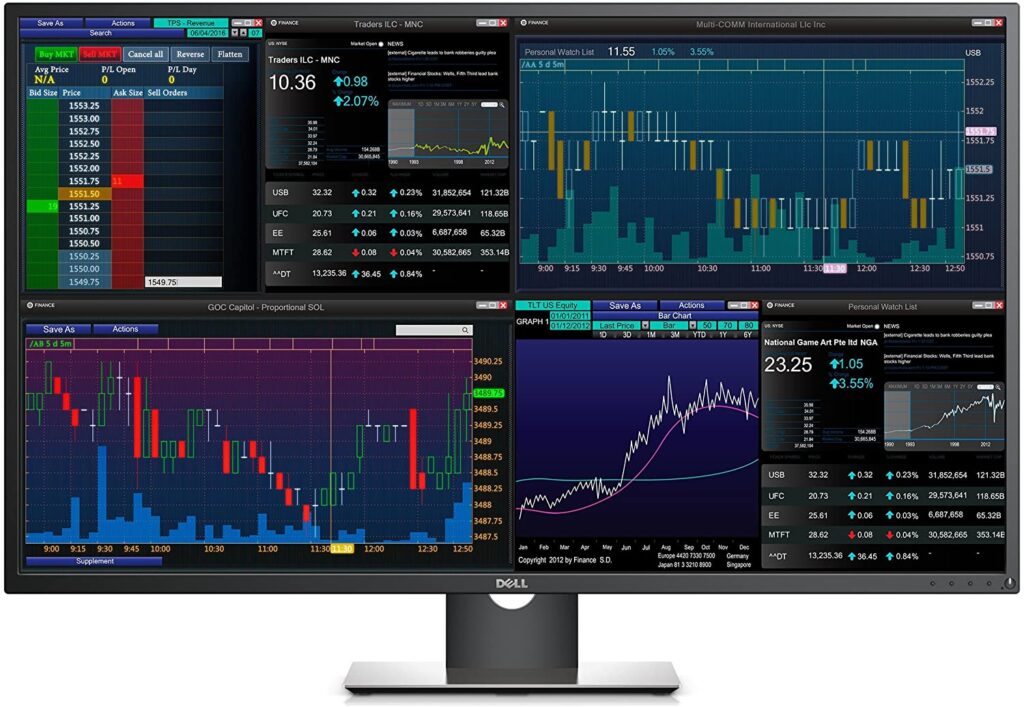
The last product on the list is again a Dell product. The model is P4317Q which has a 43-inch huge screen with a 4K resolution of 3840×2160. The LCD display with thin bezels looks stylish on any desk.
The monitor delivers super-crisp text and graphs on the Ultra HD display or Full HD resolution without any sort of bezel breaks. The scalar and matte screen provides comfortable viewing with the consistency of colours across a wide range of viewing angles. The anti-glare screen provides proper brightness for various visuals.
The widescreen makes the contents from 4 different windows fit into one thus saving space and money. Customizable settings with the Dell display manager helps split the screen into 4 equal parts.
The monitor is wall mountable so you can save space on your desk. It also has multiple connectivity ports including the DisplayPort, Mini DP, and HDMI, etc. the smart easy cable management system further makes your desk clutter-free from cables.
However, there’s still no doubt that the Dell P4317Q deserves its lofty spot on the best monitor for web development list.
- This Certified Refurbished product is certified factory refurbished and comes with a 90-day warranty
- 4K large screen experience: The 43 display with high-performance monitor scalar offers exceptional clarity up to Ultra HD 4K
- Multi-client capabilities: Connect up to four independent clients to a single monitor with customized views, all without bezel breaks, so you can take total command of your tasks. Easy on IT: RS232 connection makes remote management simple
- Input Connectors: 1 x DP 1.2 / 1 x mDP 1.2 / 2 x HDMI 1.4 (MHL) / 1 x VGA / 1 x USB 3.0 port - Upstream / 4 x USB 3.0 port / 1 x Audio Input / 1 x Headphone output / 1 x RS232
11. Dell S2721QS
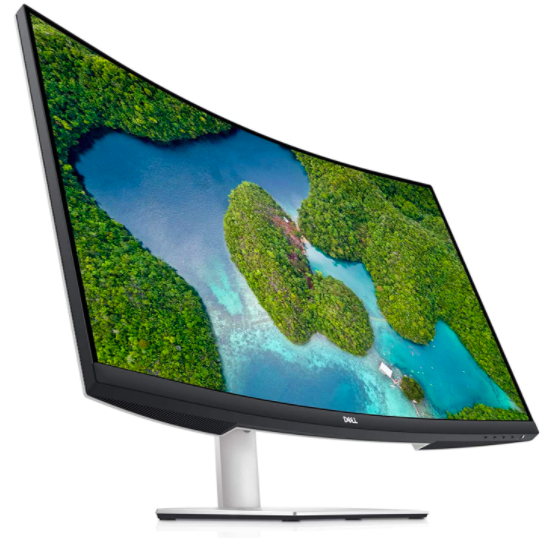
Dell S2721QS is the answer for people looking for a great monitor that’s not insanely expensive. With features like 99% of Adobe RGB gamut coverage, this budget 4k monitor guarantees industry-standard image quality at an affordable price point.
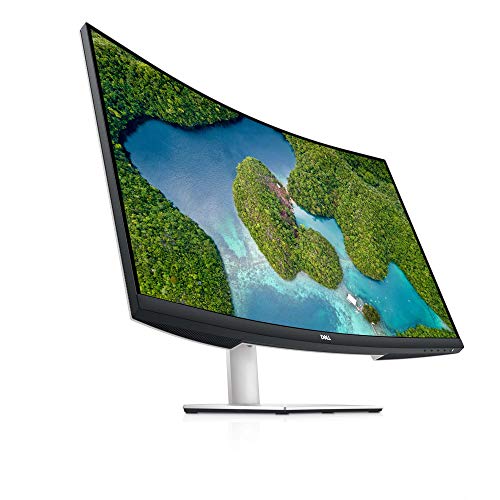
- A stunning view: The three-sided ultrathin bezel design in 4K UHD (3840 x 2160) resolution lets you enjoy immersive viewing in incredible clarity and fine detail with 4 times the resolution of Full HD. Supports HDR content playback for a more lifelike visual experience. Its not curved screen.
- Beautiful look: Modern, elegant design with a subtle textured pattern at the back of the monitor has its own unique look. It brings the feeling of a harmonious blend of great style and quality into every living space.
- Leisure gaming: Smooth, tear-free experience with AMD FreeSync technology
- Get the flexibility for all-day comfort with height adjustable stand, tilt, swivel & pivot features
What To Look For In The Best Monitor For Web Development?
1. Screen Resolution – Resolution is an important factor in deciding which monitor to choose. Higher resolution provides more working space to make your codes easier to read and write. The most common resolutions are 1440p, 1080p and 4k. No doubt 4k monitors are superb and dominating the market but the price also matters while buying a product. They provide 4 times more onscreen space than 1080p so obviously they will charge more. If you cannot afford 4K, then make sure you don’t settle for anything below 1080p.
2. Screen Size – The next thing that matters is the screen size. Though it’s a personal choice it might not affect your programming. Some programmers prefer a small screen to fit into their desks while others prefer a large screen for entertainment purposes during leisure time.
3. Response Time and Refresh Rate – Best monitor for programming also has a fast response time and a decent refresh rate. Choose a monitor having a response time less than 5ms and which provides a refresh rate of a minimum 60Hz. Sub-standard monitors are always lagging with blurred pictures and slow movement.
4. Screen Orientation – Monitors are available in the market which has the feasibility of turning into portrait mode. Having this in your arsenal will be a boon for programmers as it lets you see more code at once.
5. Display Panel – LCD monitors come with 3 types of panels. They are IPS (In-Plane Switching), TN (Twisted Nematic), and VA (Virtual Alignment). TN has the best refresh rate and response time to become the best for gamers. Unfortunately, they lack colour accuracy and wide-viewing angles while VA and IPS do. Despite high price tags IPS provides vibrant colours, good contrast, and wide viewing angles as needed for web development.
6. Monitor Stand – Most monitors come with only tilt screen stands but for working in a comfortable position you need monitors that comes with an ergonomic stand having tilt, swivel, and height adjustment capabilities. Further, you can also invest in a separate stand that has the flexibility to provide your preferred position and also has a custom stand required for dual or triple monitor setup side-by-side. To get this you should choose a monitor which is VESA compatible.
Conclusion:
All the products listed above have varied features. Some are budget-friendly while some are pricey. One feature might be useful while one feature almost comes to no use. We tried to put the best monitor for web development available in the market that will help you sail through your job as a professional programmer. Make sure to read all user reviews before investing in a product.
Also Read: Best Laptop With Fingerprint Reader